If you are a PCB designer or Manufacturer this Sprint layout macros files will helps you to design perfect PCB Layouts. The Correct components design is essential and improve the appearances of your next designing PCBs. I’m sharing updated Sprint layout macros files with updated essential components to build circuit board.
What Is Sprint Layout 6.0?
Sprint layout is a computer software used to draw the tracks of electronic circuits. This tracks combined design is using for building PCB. The version 6.0 is most stable and easy to use. This PCB designing software works in offline mode, their is no online components updates available. You can easily Download and install Sprint Layout in to your PC. No high end PC or hardware’s required to run this program.
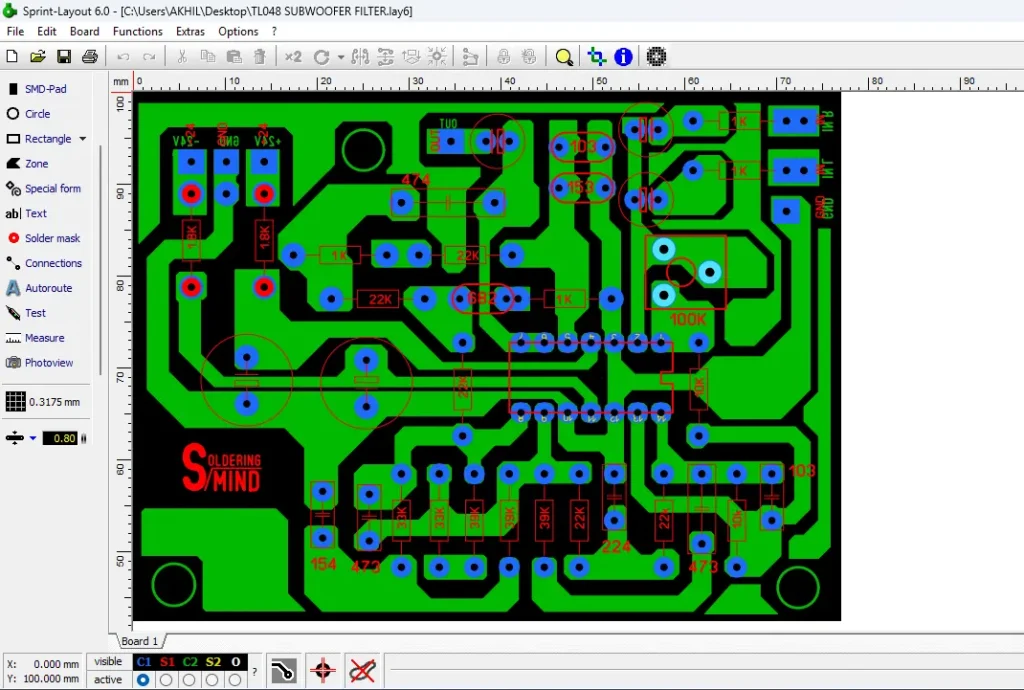
Key Features of Sprint Layout 6.0
- User Friendly Interface
- Real Time Design Editing
- Built In Component Library
- Double Layer PCB Support
- Preview & Print Options
- Custom Macro creation supported
- Low System Requirements
Why Use Macros in Sprint Layout?
Macros are the Key for building PCB layouts, These macros are the real components templets and reusable in sprint layout software. You can easily drag and drop this component templet to the PCB designing interface. This will save the time for drawing each components shape and templets.
Using Macros on your sprint layout not only saving the time but also the accuracy of the circuit and component dimension and correct shape.
2025 Updated Components List for Sprint Layout
The Latest Macros component list is updated with essential electronic components templets. This will helps the beginner level to advance level people in developing PCB Layouts. All components are listed and aligned properly with the correct components names.
New Components Added in 2025
- New Components such as Terminal blocks, LED templet, IC sockets of commonly used in electronic projects and Different types of electrolytic and polyester capacitors.
Common Component Categories
- Resistor
- Capacitors
- Transistors
- Diodes
Download Macros
How to Download and Install Sprint Layout Macros
- The downloading and installation process is very easy and simple. You can takes around 5 minutes to complete this.
- Actually you don’t need to install the downloaded macros zip file, just need to add this macros files to the root directories of the program installed file of sprint layout software.
Steps to Add Downloaded Macros to Sprint Layout
- After sucessful downloading, you have the Sprint layout macros 2025.Zip file
- Extract the zip file.
- Next you need to check the place in computer where the macros files are saved. to know the path, open the sprint layout software.
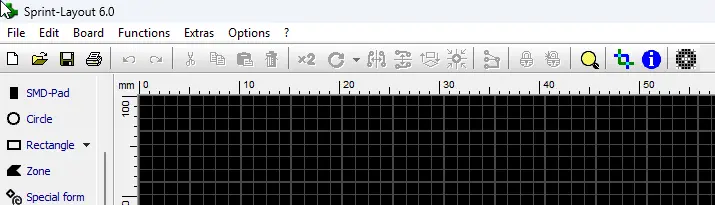
- In settings click Options >> General Settings
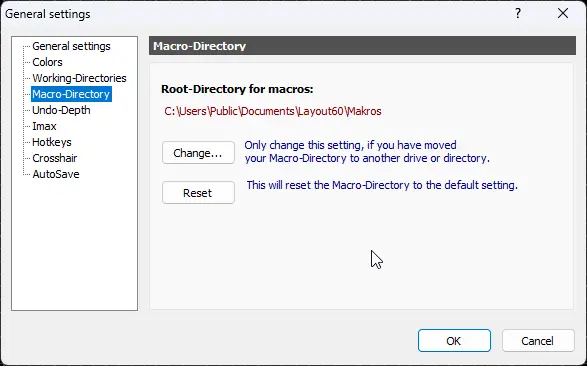
- Then you can see the Root directory in Micro directory.
- Open that folder and Paste the extracted macro files to the place.
- You are done.
Frequently Asked Questions (FAQ)
Yes, Sprint Layout macros (the component libraries or footprint files) are generally free to use. They are often shared by the software itself or by other users in online forums and communities.
Yes, you can create custom macros in Sprint Layout.
Yes, you can open, edit, and resave an existing macro with your desired changes.